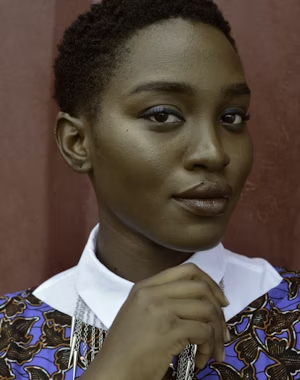
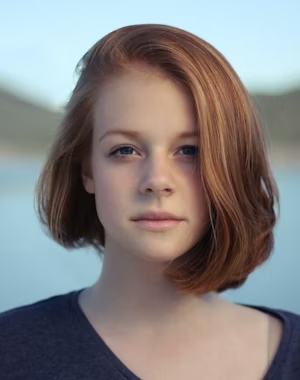
Retouched
Enhanced
Recolored
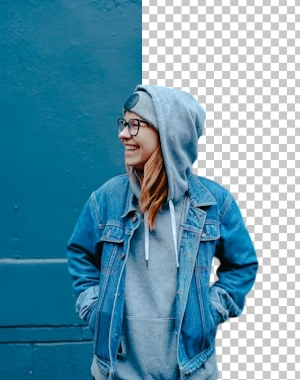
BG Remove
Upscaled
Object Removed
PhotoMasters 1.0 — Now with Magic of AI

You may create quality
Visuals with AI magic

AI-supported editing tools may help transform everyday images into more polished visuals, potentially making the creative process feel simpler and easier to manage.

Drop your photo or click to upload Files may supported · JPG, PNG, WebP, HEIC, RAW
Get Started
May Loved by 3000+ creators
PhotoMasters May suitable for
Personal Use Photographers Creative Works Small Teams Freelance Projects
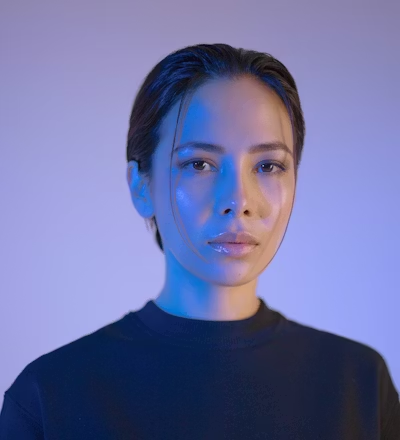
900+
Users May Explore Tools
10k+
Images May Processed
4/5
Repeat Users We May Get
10s
Avg. Edit Time May Experience
Powerful Features

Tools That May Help You Create More Refined Visuals

Hero feature

AI Background Remover

Background editing tools may help separate subjects from images, including more detailed edges and layered visual elements.

Try background remover
Subject isolated

Smart Retouching

AI-assisted adjustments could help refine portraits through lighting, tone, and appearance-based enhancements while maintaining a natural look.

Skin
Eyes
Glow

2× AI Upscaler

AI-assisted upscaling tools may help enlarge images while attempting to maintain visual clarity across different display sizes and formats.

Batch Processing

Editing settings may be applied across multiple images at once, which could help reduce repetitive editing steps.

Premium Filters

A wide selection of preset styles may help users explore different visual tones and creative editing preferences.

Color Adjustment

Editing controls may help users refine tones, brightness, and contrast to explore different visual styles and image appearances.

Magic Eraser

You may remove unwanted elements in a single brush stroke

Object removal tool may help reduce or replace unwanted elements within images using AI-assisted editing and surrounding visual estimation.

See how it works
How it works

From raw photo to publish-ready
in 3 simple steps

Step 01

Upload your photo

Drag and drop or import directly from your system. May Supports every major format including JPEG, PNG, WebP, GIF.

  • Drag & drop or browse
  • Local imports
  • Up to 20MB per file
Upload to PhotoMasters
Drop files to upload or click to browse
portrait-shoot.jpg · 4.2 MB
Supports JPEG, PNG, WebP, GIF · Max 20MB
Step 02

Choose your AI tool

Pick from 20+ specialized tools. Each one is purpose-built and optimized for a specific task — no generic "AI button" guesswork.

  • 7+ specialized AI tools
  • May get One-click presets
  • May get Full manual control
PhotoMasters Studio
Background style
Step 03

Export & share anywhere

You may download in available formats and resolutions and send to your team, or save to your gallery. May done in seconds.

  • You may get Up to 1080p resolution
  • You may Share to your team and persons
  • Cloud gallery & history
Export
Format
Quality
Get Started Now Easy Checkout · Cancel anytime
The Magic

See the difference,
drag to reveal the magic

After
Before
Before After
+340%
Sharpness may achive
+125%
Color depth may get
10s
Could be Processed in
Why PhotoMasters

Smarter choice for modern creators

PhotoMasters
Traditional editors
Editing speed
May Under 1 minute
May Upto 10–20 minutes
Learning curve
Could achive under 5 minutes
May upto 1-2 weeks
Background removal
May get in One click
May required many steps
Monthly cost
From $9.99
May starts from $20–$60
Pricing

Choose the right plan for you

Single Day Pass

Perfect for a quick one-day editing session with no long-term commitment.

$ 2.00 /day

Billed per/day

  • Short-term access to selected platform features
  • Designed for temporary or trial-based usage
  • Simple option for exploring editing tools
  • No long-term commitment required for initial access
Silver

An affordable monthly plan for light and occasional image editing needs.

$ 9.99 /month

Billed per/month

  • Access to essential editing and enhancement tools
  • Suitable for light and occasional image editing tasks
  • Simple option for basic creative needs
  • May help users explore the platform experience
Platinum

Expanded storage and tools for regular content creators and design workflows.

$ 39.99 /month

Billed per/month

  • Expanded access to editing and visual customization tools
  • Designed for regular content and image creation workflows
  • Suitable for users exploring multiple editing styles
  • Balanced option for consistent creative use
VIP

Full access to every feature with maximum storage for power users and teams.

$ 49.99 /month

Billed per/month

  • Access to the full range of available editing options
  • Suitable for ongoing creative and visual projects
  • Flexible usage for frequent image editing needs
  • May suit individuals or teams with higher activity levels
FAQ

Frequently asked
questions

Can't find the answer you're looking for? Our team is just a message away.

Contact Support

Users may upload and edit a variety of image formats depending on supported file types and platform usage guidelines.

The platform is designed to feel approachable for different experience levels, including users exploring image editing for the first time.

Plan adjustments may be available depending on account status and the options currently offered on the platform.

Editing and processing times may vary depending on image size, selected tools, and overall platform activity.

Images may be temporarily stored or processed depending on platform settings, user actions, and service-related requirements.

The tools may be explored for a variety of creative, personal, or visual content needs based on individual preferences and usage goals.
Get started today

Ready to experience
the magic of AI?

You may join 3000+ creators who've may transformed their workflow. Easy checkout, easy refund.

01-day starter plan Easy checkout Easy refund